Ultimate Chess: 2-player or computer gameplay, 4 difficulty levels, 8x8/6x6 boards, 3D/2D views. Play online or on iOS/Android. Strategic board game challenge.
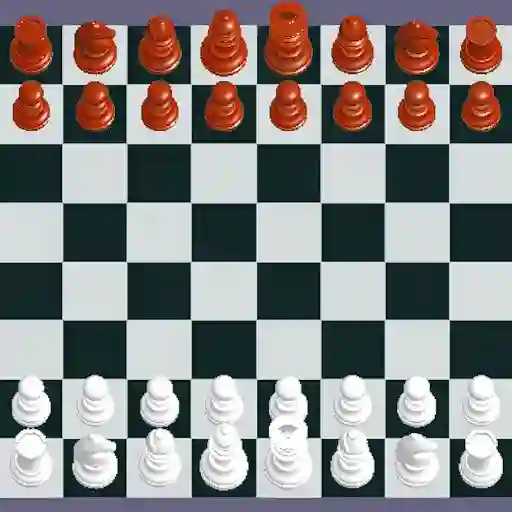
Ultimate Chess is a modern chess game designed to enhance strategic thinking and intelligence. It supports 2-player gameplay, allowing friends to compete locally or challenging players against an AI opponent with 4 adjustable difficulty levels (Level 1 - green, easiest; Level 4 - red, most advanced). The game offers flexible board options, including 8x8 (standard) and 6x6 (compact) layouts, alongside 2D and 3D visual modes for varied gameplay experiences.
• 4 difficulty levels for AI opponents (green to red progression)
• 2-player local multiplayer for head-to-head matches
• Customizable board sizes: 8x8 and 6x6
• 2D/3D view toggle for personalized visual preferences
• Accessible controls for both mouse and touch interfaces
• Strategic depth for casual and competitive play
Can I play Ultimate Chess against a friend?
Yes! The game supports local 2-player matches where both players share the same device.
What are the differences between 2D and 3D views?
The 2D view provides a classic top-down chessboard layout, while the 3D view adds depth with立体 piece designs and dynamic camera angles.
How do I change the AI difficulty?
Before starting a single-player game, select "vs Computer" and choose from Level 1 (green) to Level 4 (red) based on your skill level.